
Get out of debt.For good.
Build your payoff plan, see where your money goes, and track your estimated debt-free date, with bank syncing or CSV uploads.
Get startedYour money. A clearer picture.
- Your debts
- Your spending
- Your date
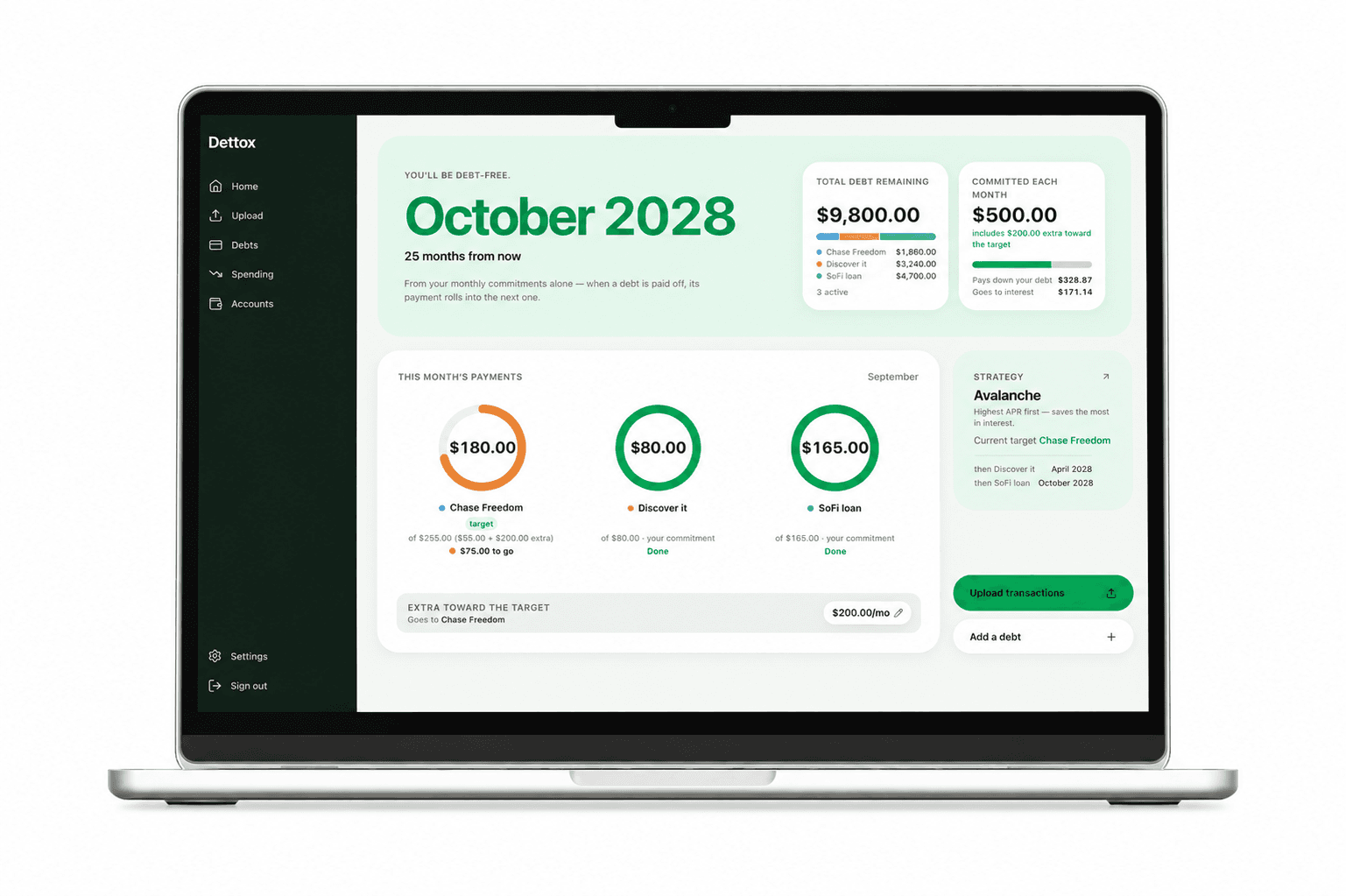
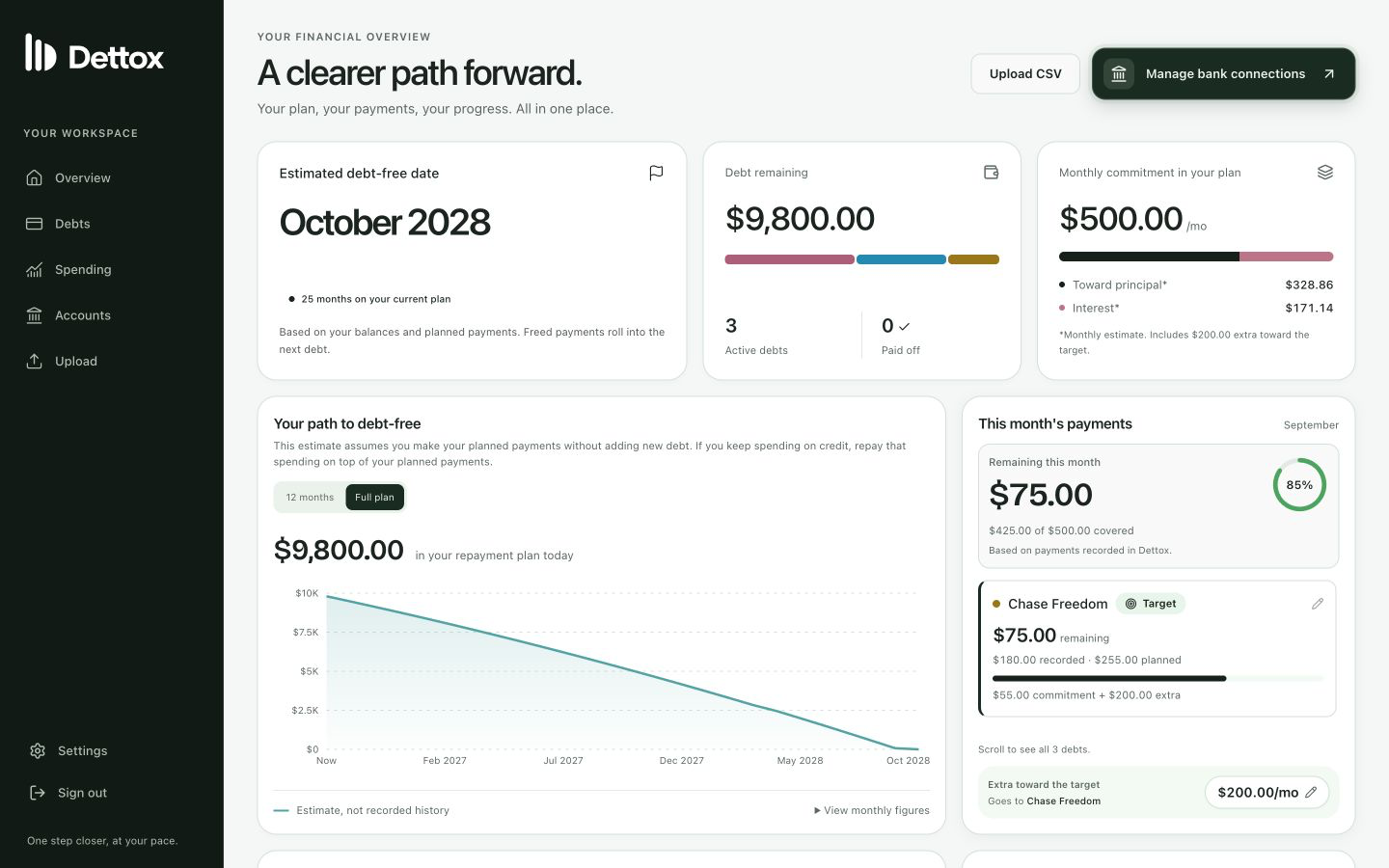
See what you owe, track what you pay, and know the day you’ll be debt-free. One clear plan, one next move.
How it works
A little setup. A lot more clarity.
Connect a supported bank or upload CSV statements, then confirm your debts and build your plan.
- 01
Build your payoff plan
Add your balances, interest rates and monthly payments. Choose a strategy and see your estimated debt-free date.
- 02
Bring in your transactions
Connect supported banks through Plaid, or upload a CSV from your bank. Transactions are categorized; review uncertain categories and confirm which debts your payments belong to.
- 03
See where you stand
Check your payment progress, your spending and your budget together. Your payoff estimate updates as your balances and plan change.
Your payoff plan
See your way to debt-free.
Turn your debts into a plan you can follow. See what to pay each month and how putting a little extra toward your target debt could change your timeline.
- Choose snowball, avalanche, or your own payoff order.
- Track this month’s payments against your plan.
- Adjust your monthly payments as life changes.
Try a sample plan
3 debts · AvalancheEstimated debt-free date
February 2031
Your monthly commitments, without extra
- Debt in this example
- $30,000.00
- Total monthly payment
- $900.00
Move the slider to see how paying extra changes this plan.
An illustration starting October 2026, using sample debts and fixed interest rates. Your estimate depends on your balances, rates and payments.
Your spending, explained
Know where your money goes.
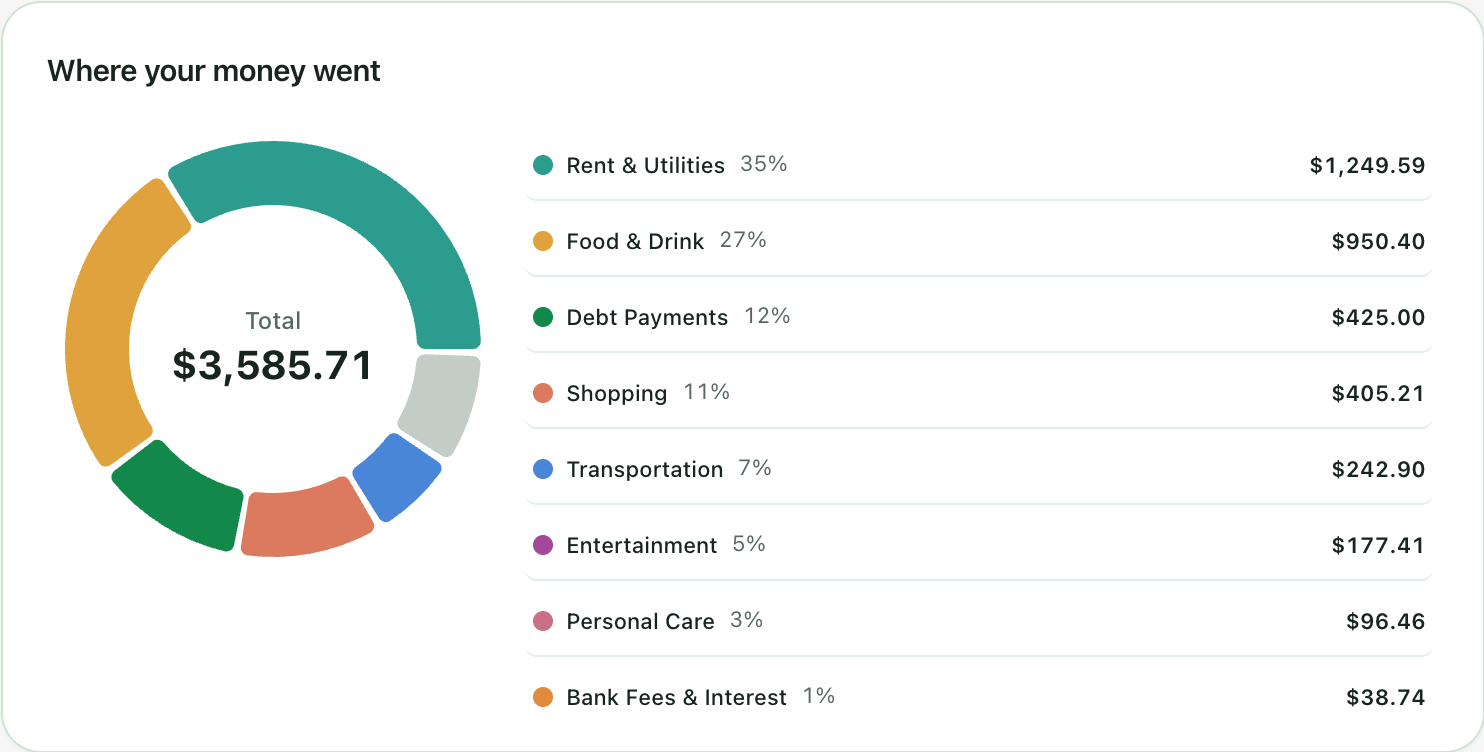
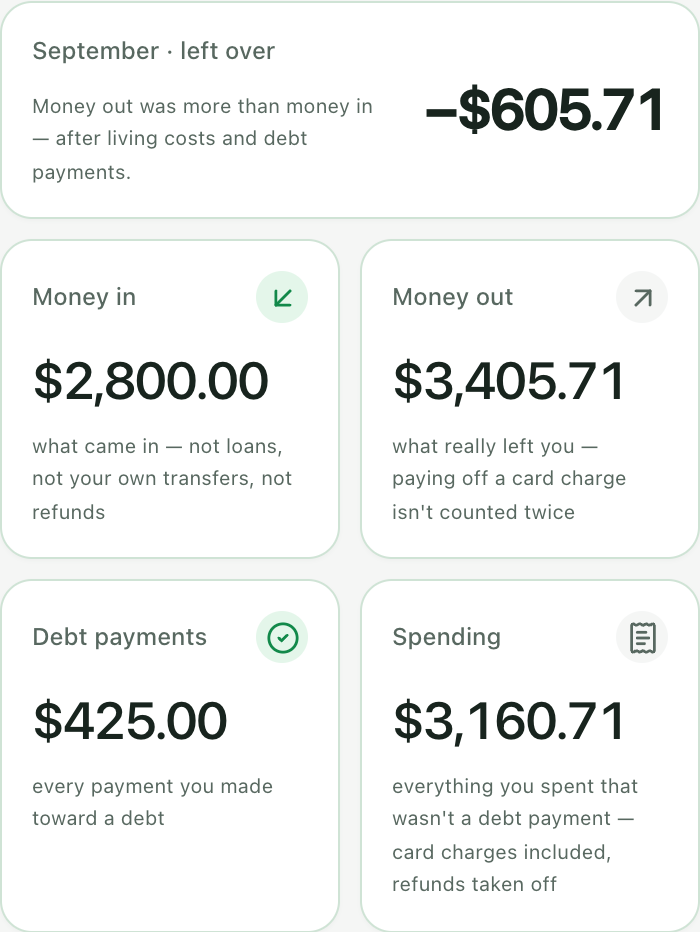
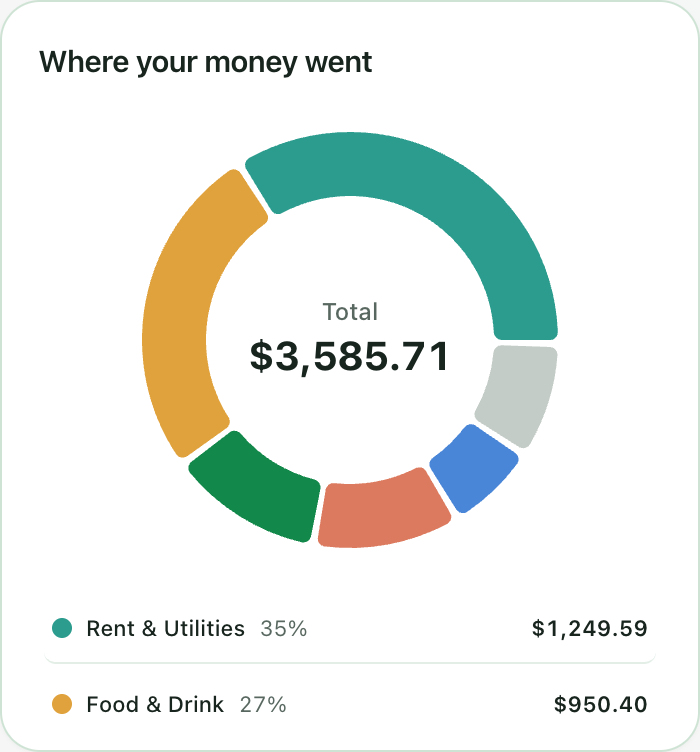
Your synced transactions give you a clear breakdown of everyday spending. Groceries, bills, subscriptions, all in one place, with debt payments shown separately.
- See spending by category and merchant.
- Compare one period with another.
- Find a transaction and correct its category.
Your budget
Set a budget. See if you’re keeping to it.
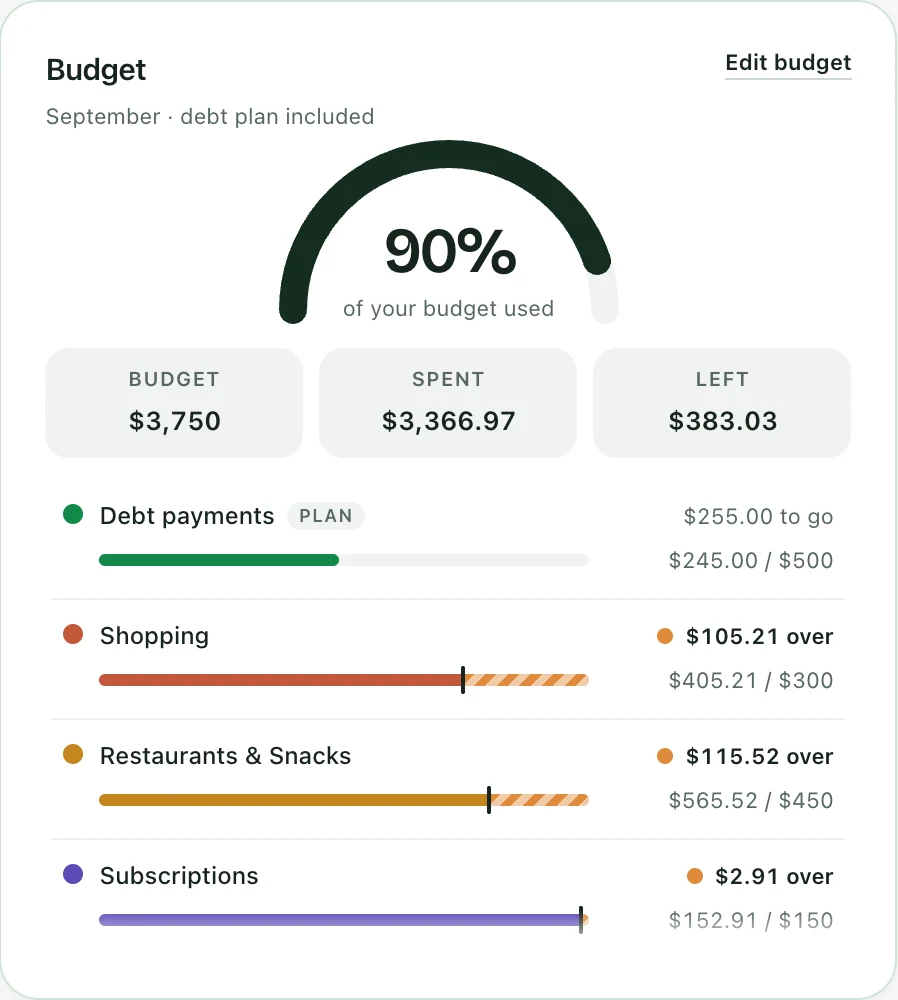
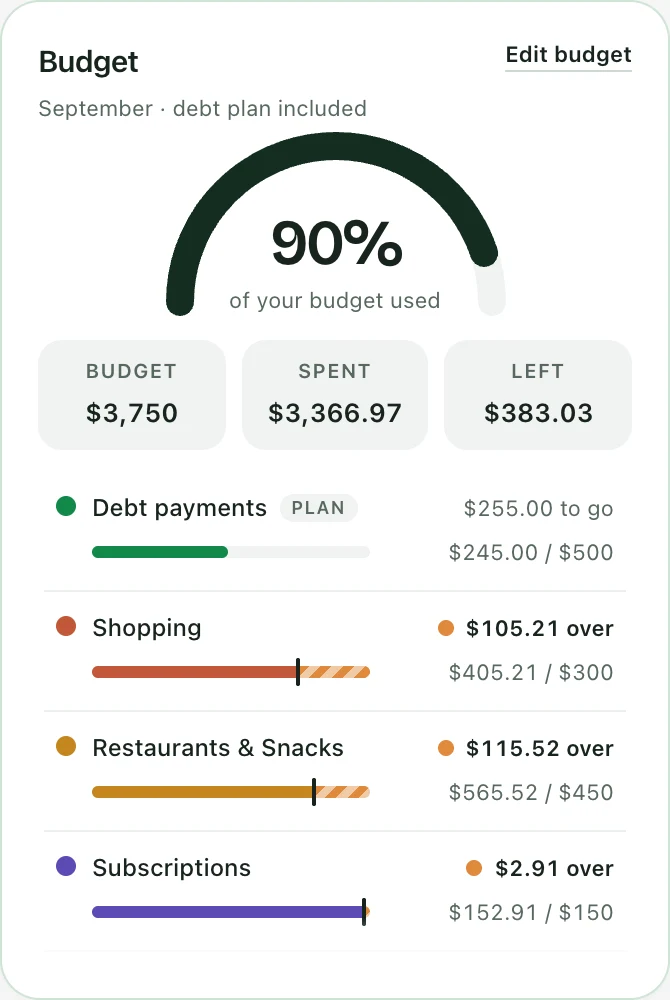
Give each category a monthly amount, with your debt payments counted first, straight from your plan. As transactions come in, every category shows what you’ve spent against what you set, so you know where you stand before the month is over.
- Set an amount per category, with what you spent last month beside it.
- Debt payments count as part of the budget, so an extra payment never hides overspending.
- See how much of the month’s budget is used, and which categories went over.
Built around you
Your money. Your decisions.
- Your bank stays yours
- Connect supported banks through Plaid and disconnect anytime, or use CSV uploads. Dettox does not receive your bank password or move money.
- You can check the details
- Review categories, follow totals back to transactions, and correct anything that needs a second look.
- Progress at your pace
- See the numbers clearly and decide what works for your life. Update your plan whenever life changes. Your connected accounts keep bringing in available transactions.
A few useful answers
Before you get started.
Something else on your mind? Get in touch.
Will Dettox work with my bank?
Dettox connects to supported banks through Plaid. If your bank isn’t supported, upload CSV statements instead. You can also add debts manually.
How is my debt-free date calculated?
It’s an estimate based on your debt balances, interest rates, monthly payments and payoff strategy. The plan rolls payments toward the next debt as earlier debts are paid off. Your estimate can change when your balances, payments or strategy change.
What happens to my connected data?
Dettox stores synced transactions and available account details. Disconnecting stops future updates and keeps your history. You can export or delete stored data from the app.
Get started
One app. Your whole picture.
Your payoff plan, payment tracking, spending breakdown and monthly budget are all included.
Everything included
- Debt payoff planningEvery debt, one strategy, and the date they lead to.
- Payment trackingRecorded payments move your plan, not estimates.
- Bank connections and categorizationConnect a supported bank or upload CSV statements; spending is sorted for you.
- Monthly budgetAn amount per category, with debt payments counted first, and the month measured against it.
- Spending breakdowns and data exportsSee where the money goes, and take your data with you any time.
Cancel anytime. Dettox never moves your money.